Creating a productive home office space is vital in today’s world, where many people work remotely or split their time between home and office. A well-designed workspace can enhance focus, reduce distractions, and make working from home a more enjoyable experience. Whether you have a dedicated room or a small corner, you can transform it into an efficient office by applying some smart principles.
In this post, we’ll explore practical tips and ideas to help you set up a home office that supports your productivity and well-being.
Choose the Right Location
Your choice of location is the foundation of a productive home office.
– Quiet and Private: Pick a spot where you are less likely to be disturbed by household noise or foot traffic. This helps maintain concentration and professionalism during calls or video meetings.
– Natural Light: If possible, position your desk near a window. Natural daylight boosts mood and reduces eye strain.
– Space Considerations: Ensure there’s enough room for your equipment and for moving comfortably. A cramped area might lead to discomfort and distraction.
Invest in Ergonomic Furniture
Comfort plays a crucial role in productivity over long working hours.
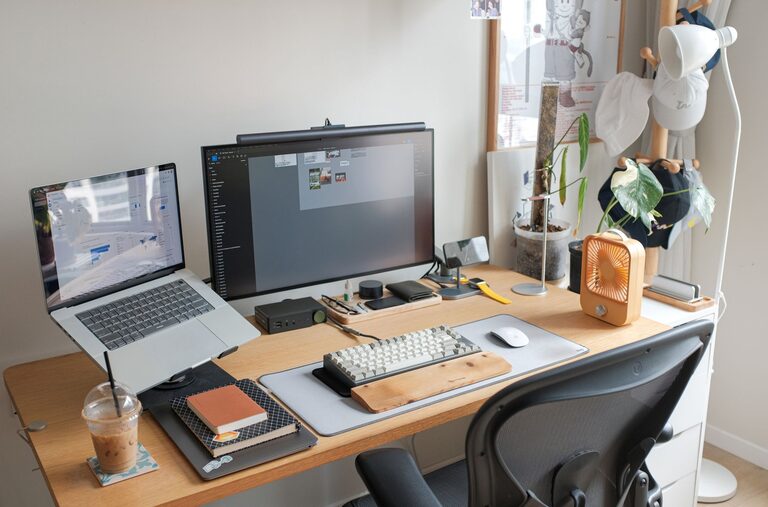
– Desk: Choose a desk with sufficient surface area for your computer, documents, and other essentials.
– Chair: An ergonomic chair with back support prevents posture problems and fatigue. Adjustable height and armrests are beneficial.
– Layout: Arrange your desk so your monitor is at eye level and your keyboard and mouse are within easy reach.
Declutter and Organise
A tidy workspace can help clear your mind.
– Storage Solutions: Use shelves, drawers, or filing cabinets to keep papers and office supplies organised and out of sight.
– Cable Management: Use clips or organisers to keep wires tidy and prevent the area from looking messy.
– Minimalism: Keep only the items you use regularly on your desk to reduce visual distractions.
Set Up Proper Lighting
Good lighting reduces eye strain and keeps you alert.
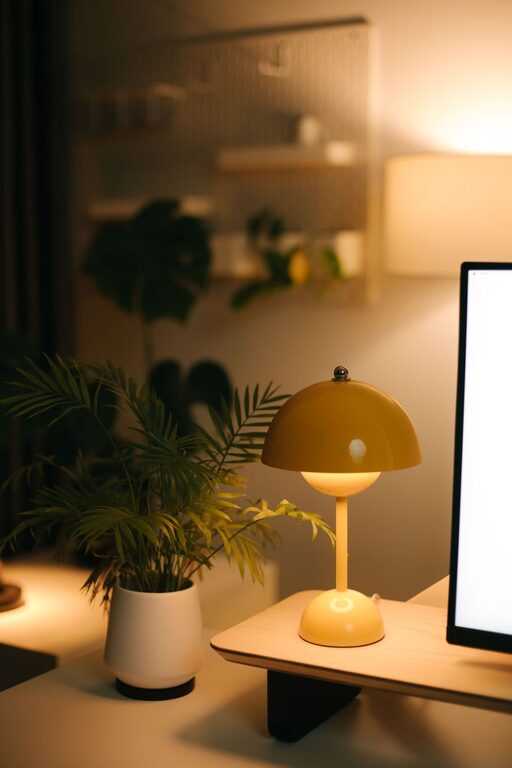
– Task Lighting: Use a desk lamp with adjustable brightness for reading and detailed work.
– Balanced Lighting: Combine natural light with ambient lighting to prevent harsh contrasts and shadows.
– Screen Settings: Adjust your monitor’s brightness and contrast to comfortable levels.
Create a Routine and Boundaries
Even in your own home, clear rules help maintain focus.
– Working Hours: Define your start and finish times to create a rhythm.
– Breaks: Take short breaks away from your desk to refresh your mind.
– Inform Household Members: Let others know your schedule to minimise interruptions.
Personalise Your Space
Adding a few personal touches can make working more pleasant.
– Plants: Small indoor plants can improve air quality and make the space feel more inviting.
– Decor: Photos, artwork, or motivational quotes can boost your mood.
– Comfort Items: A cosy cushion or a footrest adds to your comfort.
Use Technology Wisely
Digital tools can improve efficiency but can also be distracting if overused.
– Reliable Equipment: Invest in a good-quality computer, headset, and internet connection.
– Organised Apps: Use productivity apps or calendars to keep track of tasks.
– Limit Distractions: Turn off non-work notifications during focused sessions.
Maintain Good Air Quality
A healthy environment supports wellbeing and concentration.
– Ventilation: Regularly open windows to let fresh air circulate.
– Humidity: Use a humidifier if the air feels too dry, especially in winter.
– Cleanliness: Keep the space free from dust and allergens.
Review and Adjust Regularly
Your ideal workspace might evolve over time.
– Assess Your Setup: Every few months, consider what’s working and what isn’t.
– Adapt: Don’t hesitate to rearrange furniture or upgrade equipment as needed.
– Seek Feedback: If you share your space, discuss how to make it better for everyone.
—
By thoughtfully designing your home office and developing good habits, you can create a productive environment that supports both your professional and personal needs. With the right balance of comfort, organisation, and focus, working from home becomes not just practical but enjoyable.